Embedding event content on external websites
 Updated 4 hours ago
by
Caleb Kotey
Updated 4 hours ago
by
Caleb Kotey
InEvent allows event organizers to embed certain event components on external websites using an iframe. This allows you to display key event information, such as registration forms, ticket offerings, and the public agenda, directly on your own website.
However, not all event pages support standalone embeds. Some components can only be shared as hosted pages, while others are not available for external embedding. This article outlines which event components can be embedded, where to find the correct URLs, and the limitations you should be aware of when embedding InEvent content externally.
Embedding event agenda
InEvent allows the public event agenda to be embedded on an external website using an iframe. This embed displays the agenda as shown in the Virtual Lobby agenda view.
Agenda iframe structure
<iframe id="inevent-public-agenda-iframe"
        src="https://inevent.com/en/{{Company}}/{{Event}}/public-agenda.php?embed=true"
        width="100%"
        height="400"
        frameborder="0">
</iframe>
Replace:
{{Company}}with your company slug{{Event}}with your event slug
Embedding the registration form
You can embed your event’s Registration Form or Purchase Form into an external website using an iframe.
To locate the form URL and embed code:
- Navigate to Marketing > Registration > Registration Form
- Click Share on the left-hand menu
On the Share page, you will find:
- A direct URL to the registration or purchase form
- A ready-to-use iframe embed code
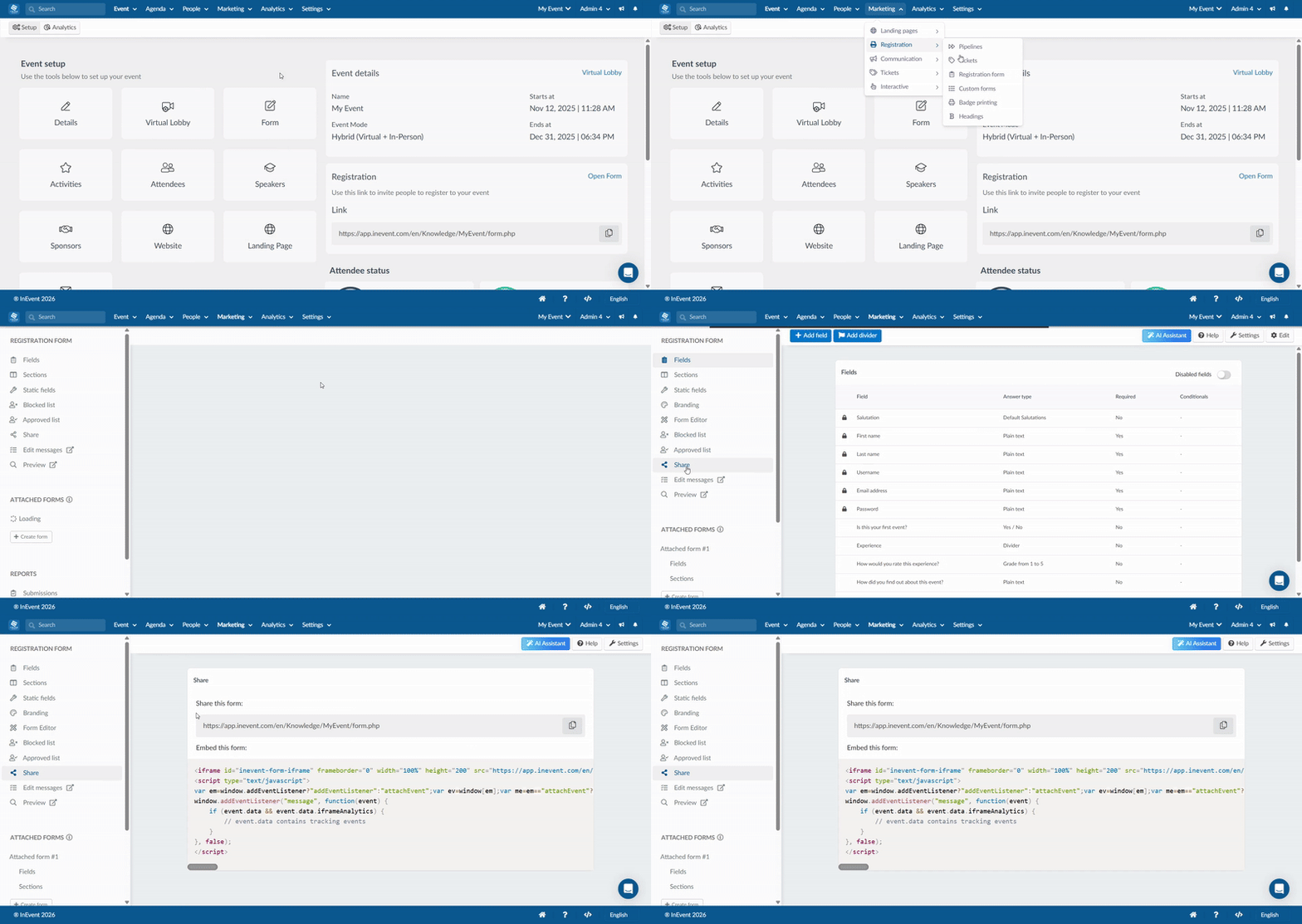
This embed displays the full registration or purchase flow, including ticket selection, attendee details, and payment details. For more information, refer to the Add registration form to external website article.
Embedding ticket offerings
In addition to embedding the full registration or purchase form, InEvent allows you to embed only the Ticket Offerings section on an external website.
This option displays the list of available tickets without the full registration flow and is useful when ticket selection needs to be presented separately on a website.
Ticket offerings iframe structure
<iframe id="inevent-ticket-offerings-iframe"
        src="https://app.inevent.com/en/{{Company}}/{{Event}}/ticket-offerings.php?embed=true"
        width="100%"
        height="200"
        frameborder="0">
</iframe>
Replace:
{{Company}}with your company slug{{Event}}with your event slug
Embedding custom forms
InEvent allows Custom Forms to be embedded on external websites using an iframe. This includes, but is not limited to, Review Forms, Submission Forms, and other Custom Forms created for the event.
Review Forms
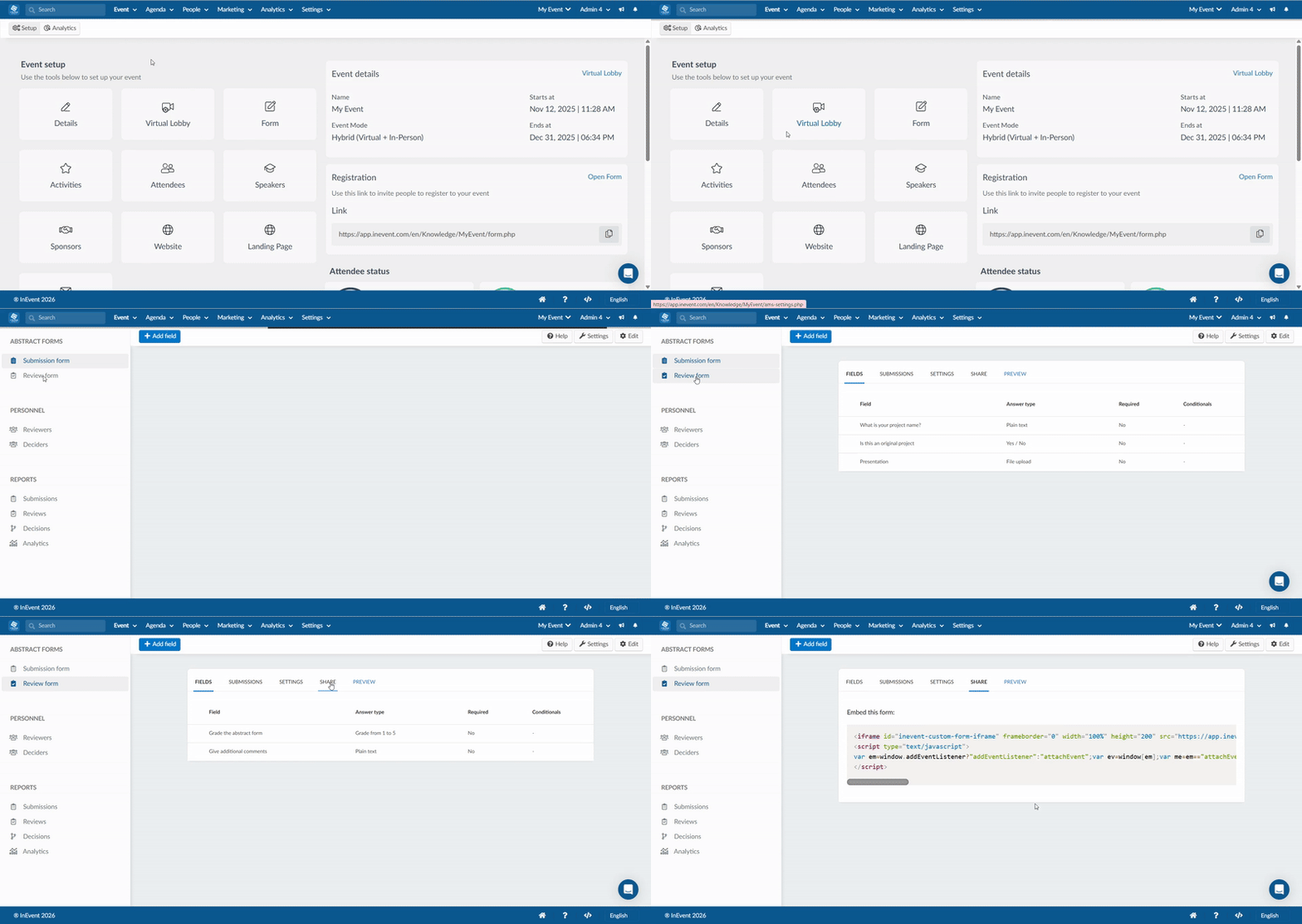
To locate the form embed code:
- Navigate to Event > Abstracts
- Select Review Form on the left-hand menu,
- Click Share
On the Share page, you will find a ready-to-use iframe embed code.
Submission Forms
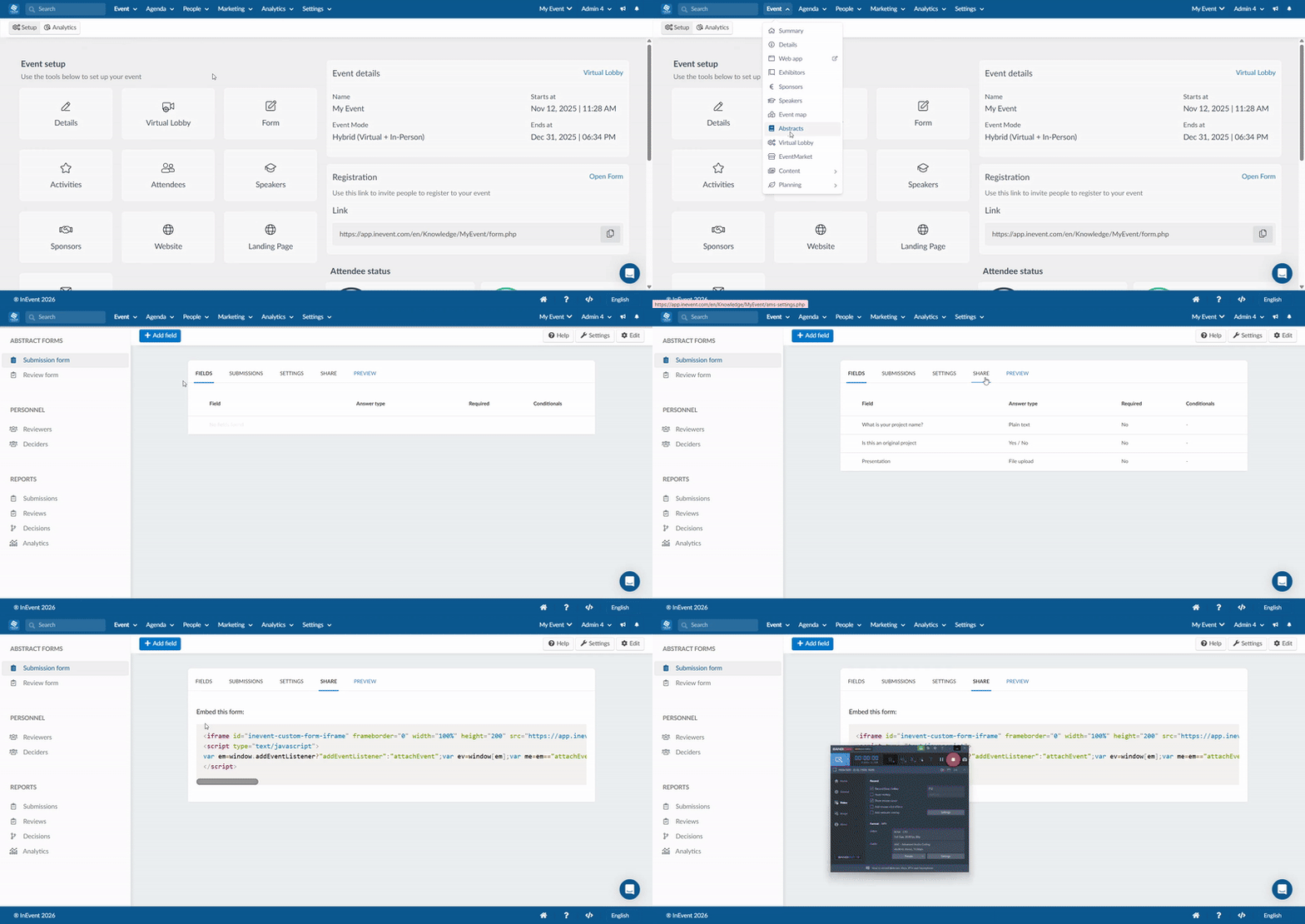
To locate the form embed code:
- Navigate to Event > Abstracts.
- Select Submission Form on the left-hand menu.
- Click Share.
On the Share page, you will find a ready-to-use iframe embed code.
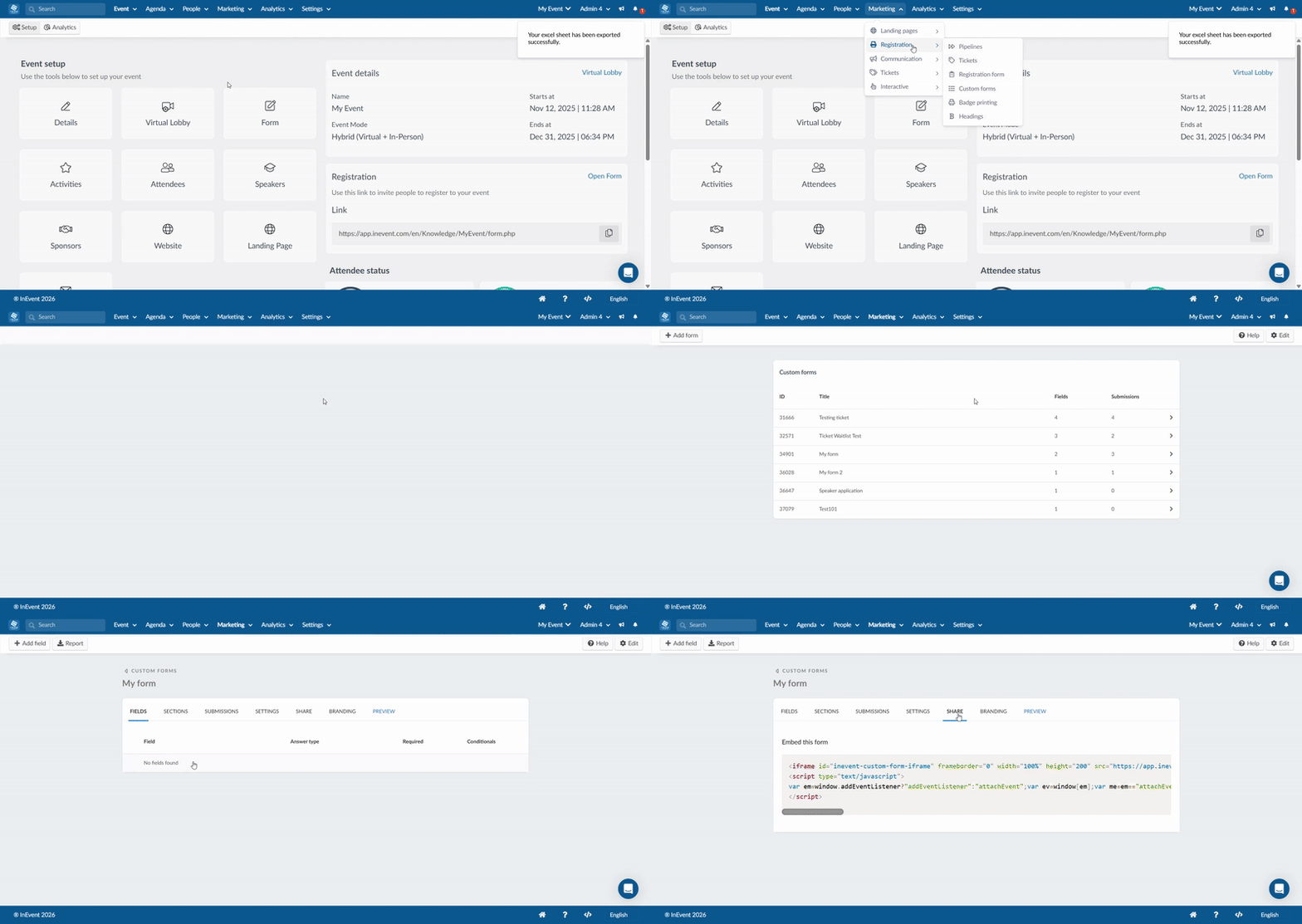
Custom Forms
- Navigate to Marketing > Registration > Custom Form.
- Select a form.
- Click on Share.
On the Share page, you will find a ready-to-use iframe embed code.