Legal information
 Updated 10 months ago
by
Caleb Kotey
Updated 10 months ago
by
Caleb Kotey
Providing legal information
Legal information may only be accessed by Apple/Google if you publish a white label app inside their stores. This information is required to publish your white label event app.
Editing legal information
To edit your legal information, click on your company logo in the top left corner and press Company > Legal.
This page can only be edited by the Enterprise or Sales Manager. If you need any updates, please contact your Project Manager and they will handle the changes for you.
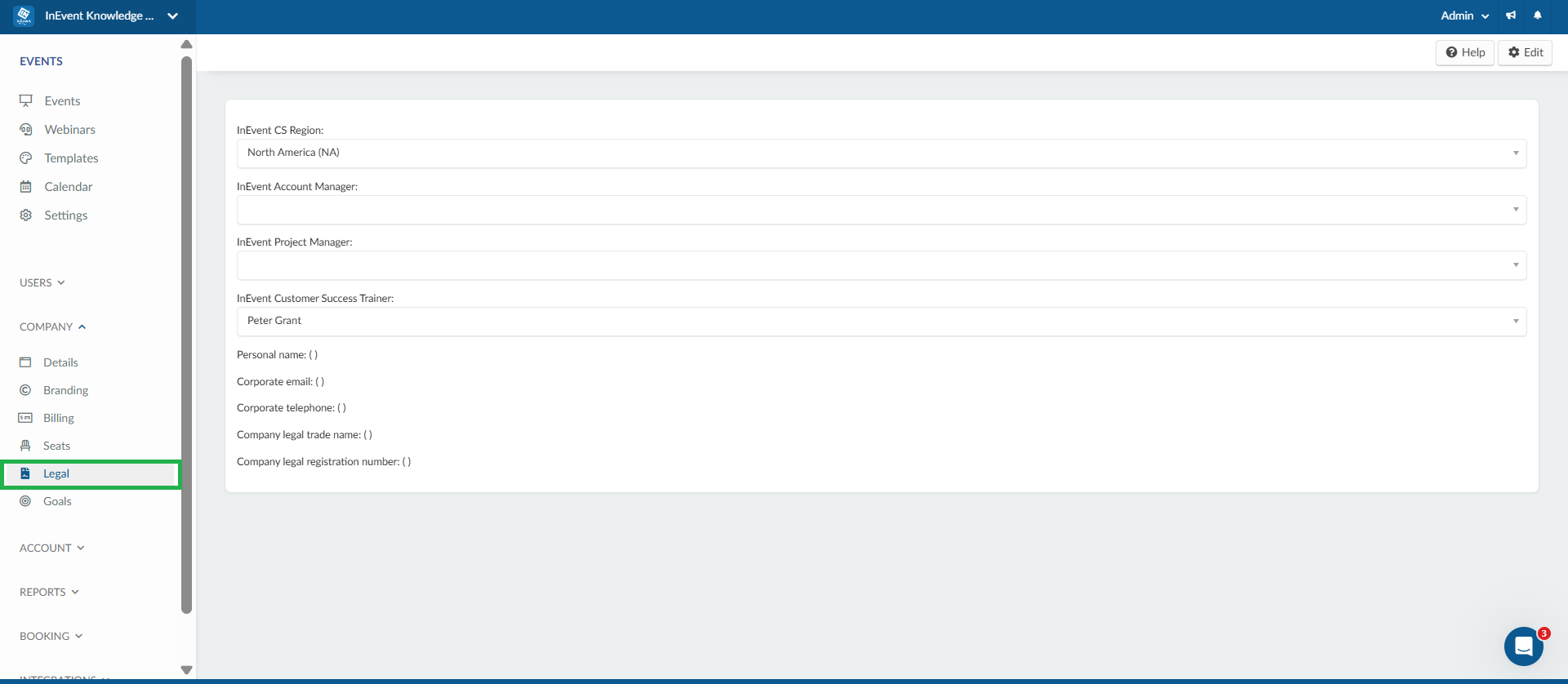
To enter your legal information press the Edit button in the top right corner.
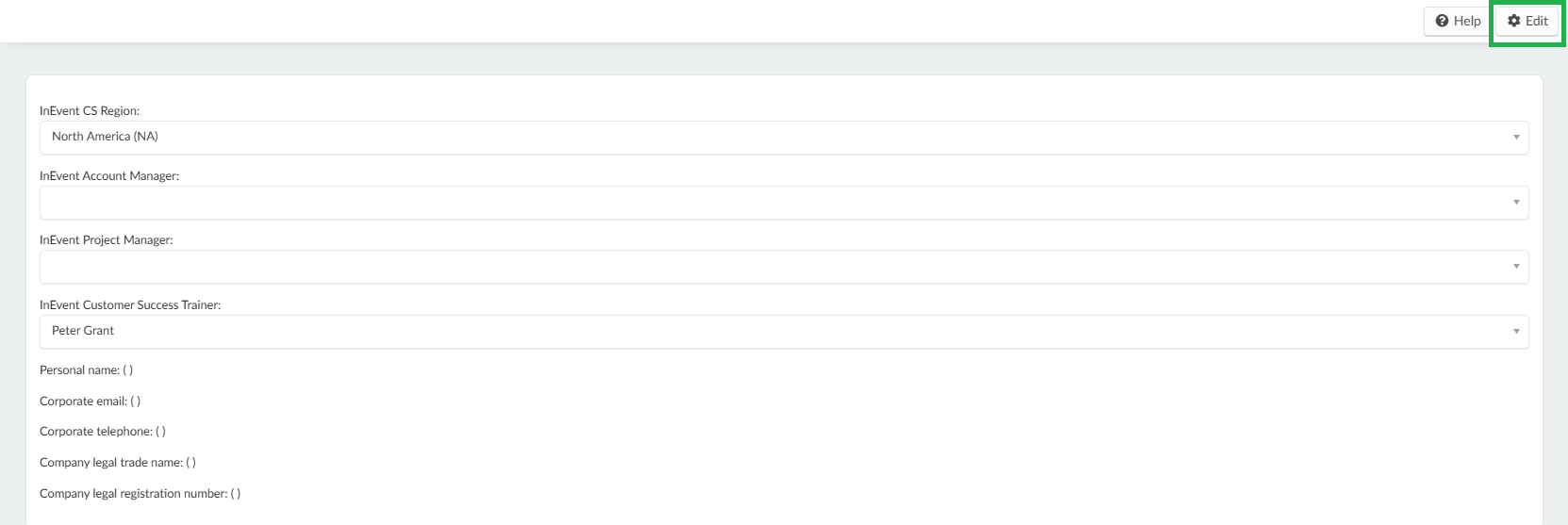
The information you can enter are as follows:
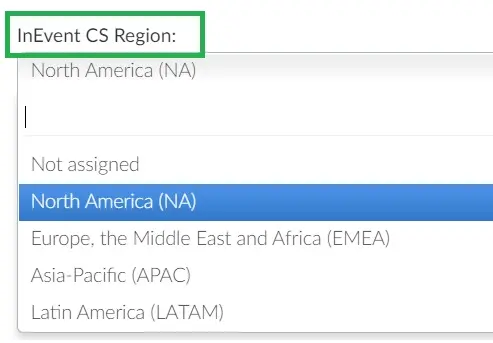
- InEvent CS Region: In the dropdown box, you should be able to select one from the four options shown below
- InEvent Account Manager: will be your account representative. You can discuss billing, upsells and upgrades with your Account manager. You can always reach out to them via the Help Center Help center: Support channels.
- InEvent Project Manager: This is your Customer Success representative responsible for the implementation of your projects. Depending on your package, they will join your onboarding call and introduce themselves as your CS lead so you can schedule support and training sessions with them. To find more about scheduling Support Calls, refer to the Help center: Support channels article.
- InEvent Customer Success Trainer: This representative is responsible for delivering your support and training sessions to ensure your events are properly set up and running smoothly. You can always schedule training sessions with them via the Help Center Help center: Support channels.
- Personal Name
- Corporate Email
- Corporate telephone
- Company Legal Trade Name - example: the name used in the course of business
- Company Legal Registration Number - example: Employer identification number
Once you have entered the information, press End to save the changes.
