AI Agenda builder
 Updated 3 weeks ago
by
Amalia
Updated 3 weeks ago
by
Amalia
The AI Agenda Builder is a chat-based feature that helps attendees quickly create a personalized agenda based on their interests and event details. Instead of browsing through every session manually, attendees can use the AI to discover sessions that match their preferences, making it easier to navigate events with many activities.
To learn more about the Agenda page, refer to the My Agenda article.
Enabling the AI Agenda builder
Follow the steps below to enable the AI Agenda builder tool.
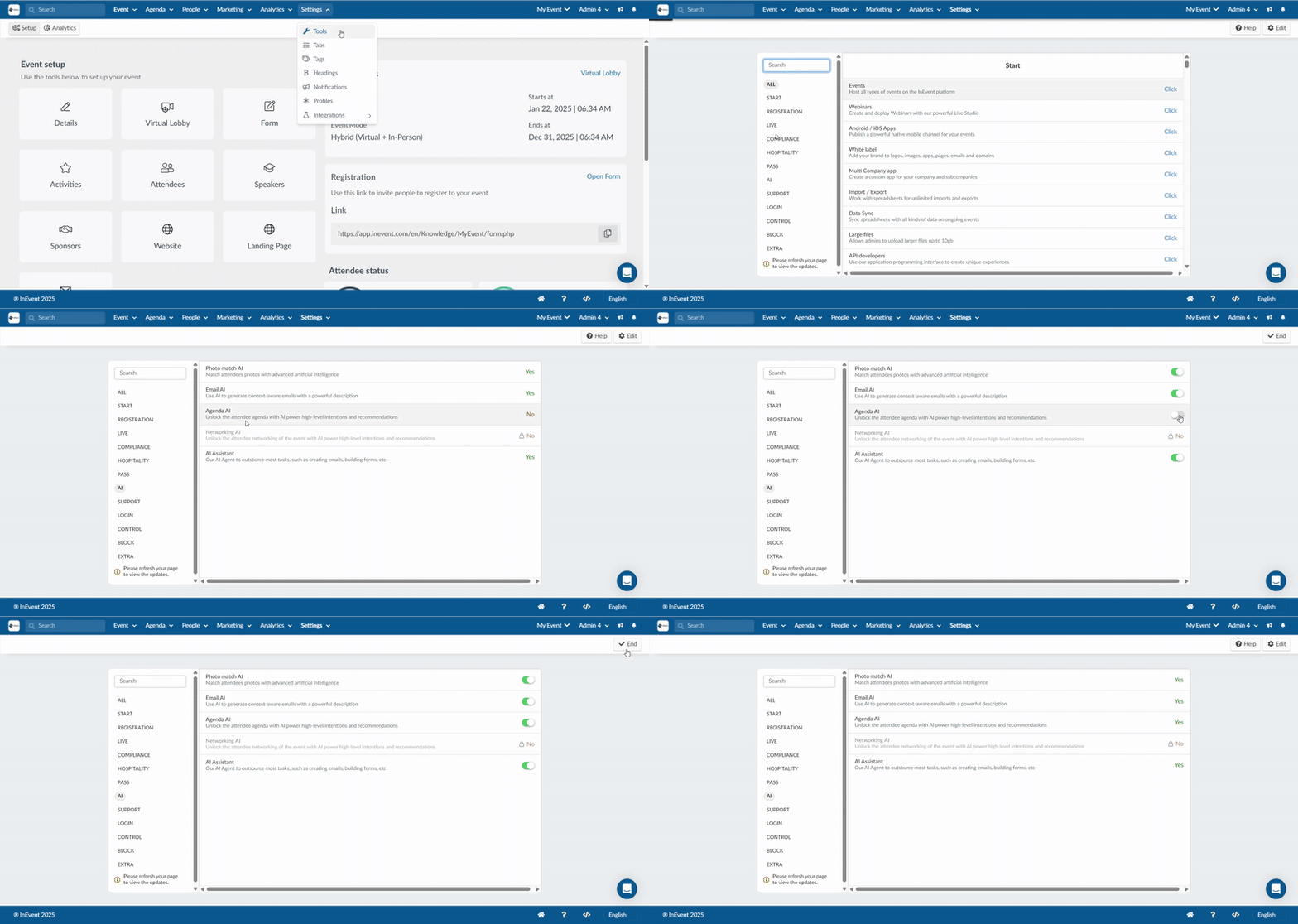
- Go to Settings > Tools in your event.
- Select the AI section.
- Click Edit.
- Enable Agenda AI using the available toggle.
- Click End to save the changes.
After completing the steps above, the AI Agenda tool will be enabled for the event. It can be accessed from My Agenda in the Virtual Lobby.
To enable the tool at the company level:
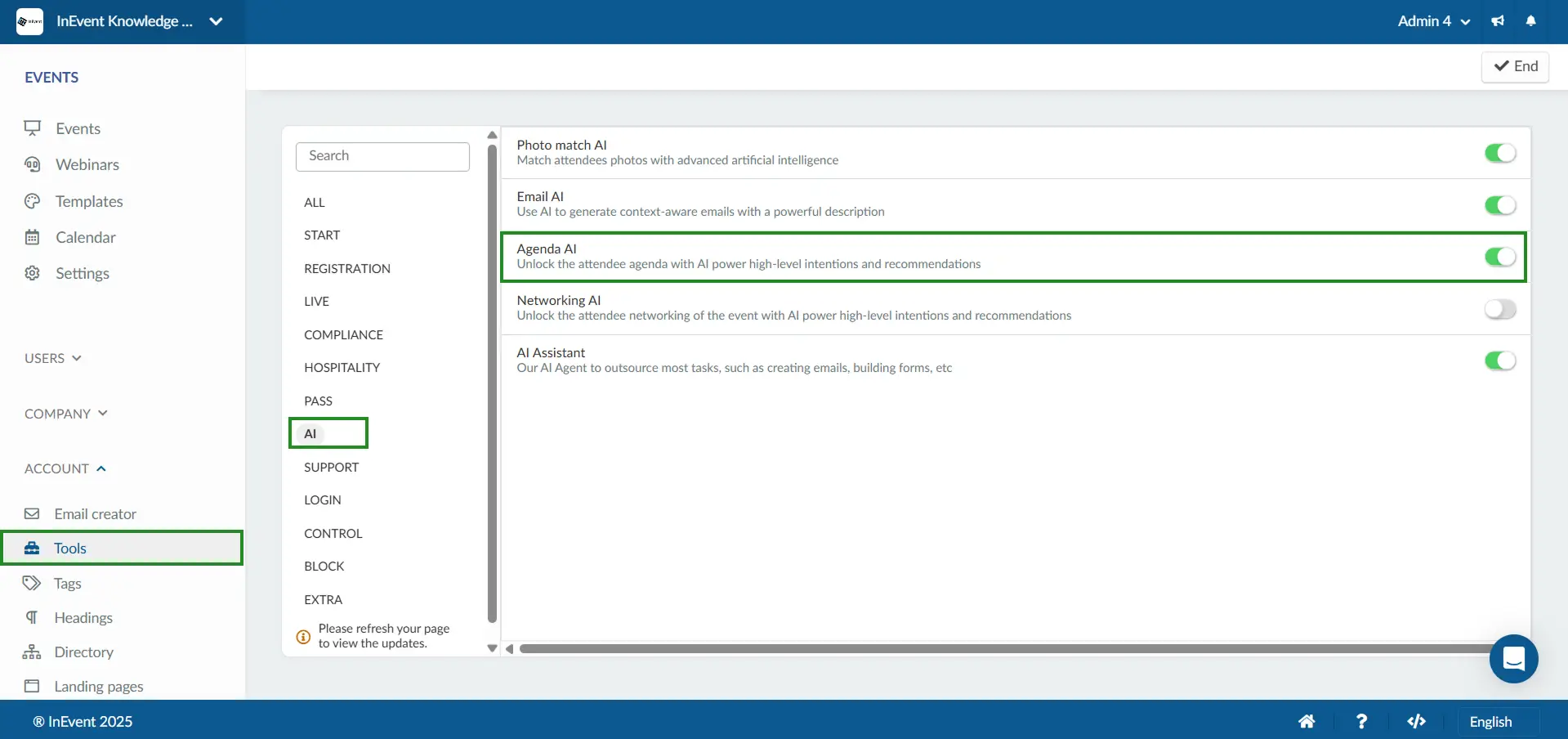
- Go to Company > Account > Tools.
- Select the AI section.
- Toggle on Agenda AI to activate the tool.
- Return to the event settings and repeat the event-level steps above.
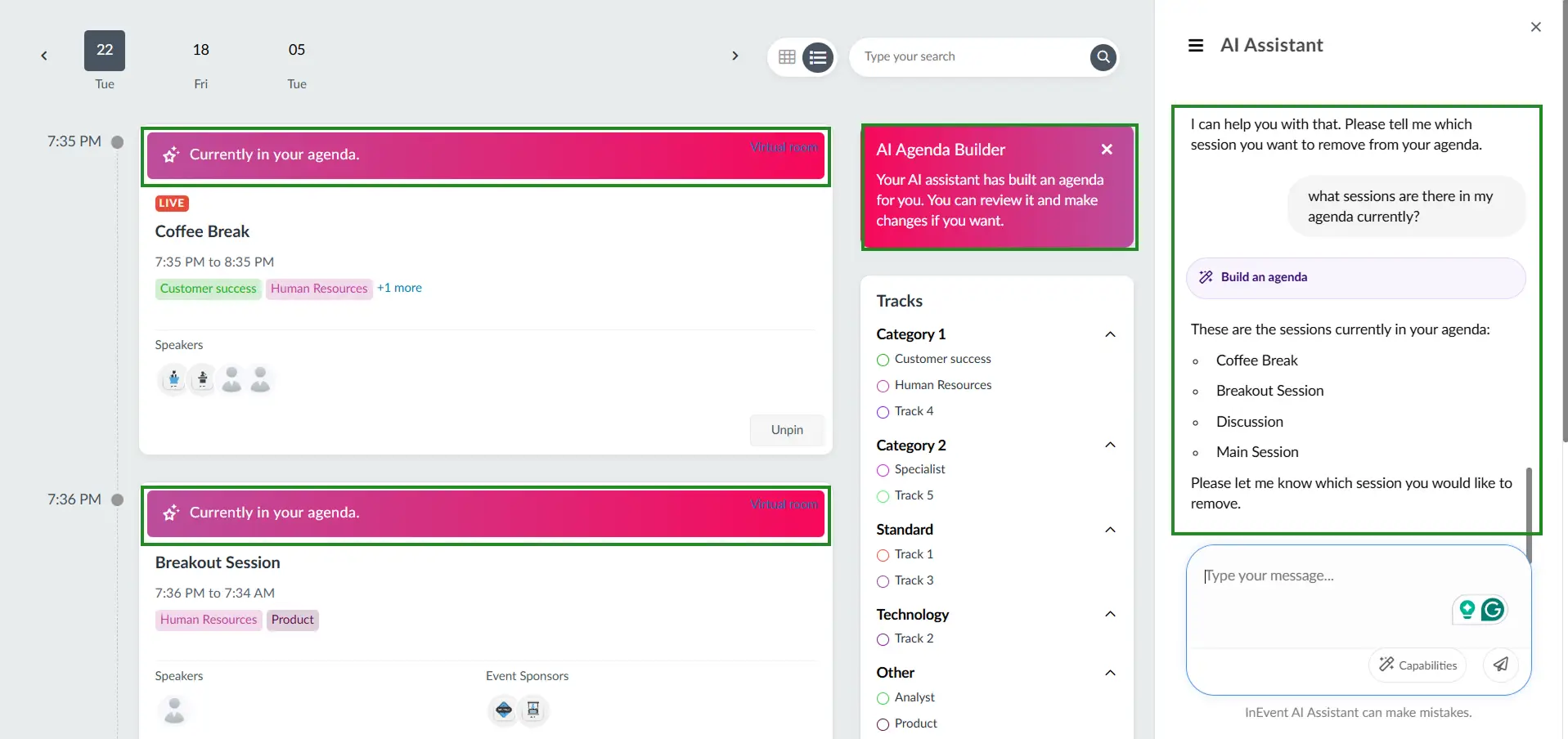
Once enabled, attendees will see the AI Agenda Builder option on their My Agenda page and can begin building their personalized schedule through the AI chat.
Using the AI Agenda builder in the My Agenda page
To use the AI Agenda Builder, follow the steps below:
- Click on the My Agenda tab in the Virtual Lobby.
- Click the AI Agenda Builder button at the top of your agenda view.
- Tell the AI what you are looking for in the chat box. This can be in the form of session topics, speakers, preferred times, locations, tracks, languages, or accessibility needs.
- Review the list of suggested sessions, speakers, locations, and preferred times provided by the AI.
- Ask the AI to add or remove the sessions you want, to and from your agenda.