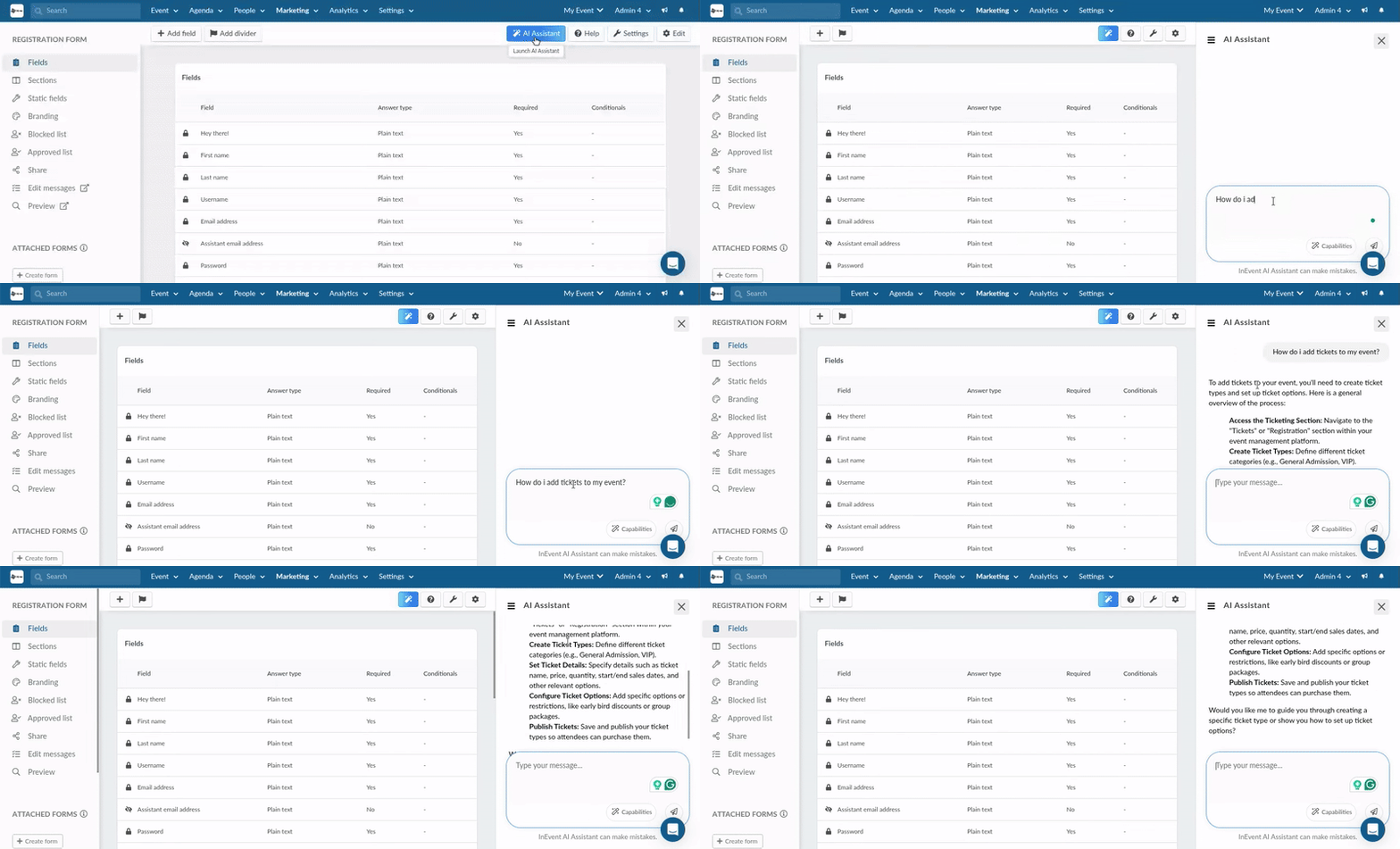
Registration form AI
 Updated 6 months ago
by
Chioma Okenwa
Updated 6 months ago
by
Chioma Okenwa
InEvent's Registration form AI Assistant allows you to create and edit your event’s registration form using natural language commands, saving time and simplifying the setup process.
To learn more about the Registration form, refer to the Registration form article.
Enabling the InEvent AI assistant to manage your registration form
To use the AI Assistant, make sure the feature is enabled. To do this:
- Navigate to Settings > Tools.
- Locate the AI Assistant option and ensure it is activated.
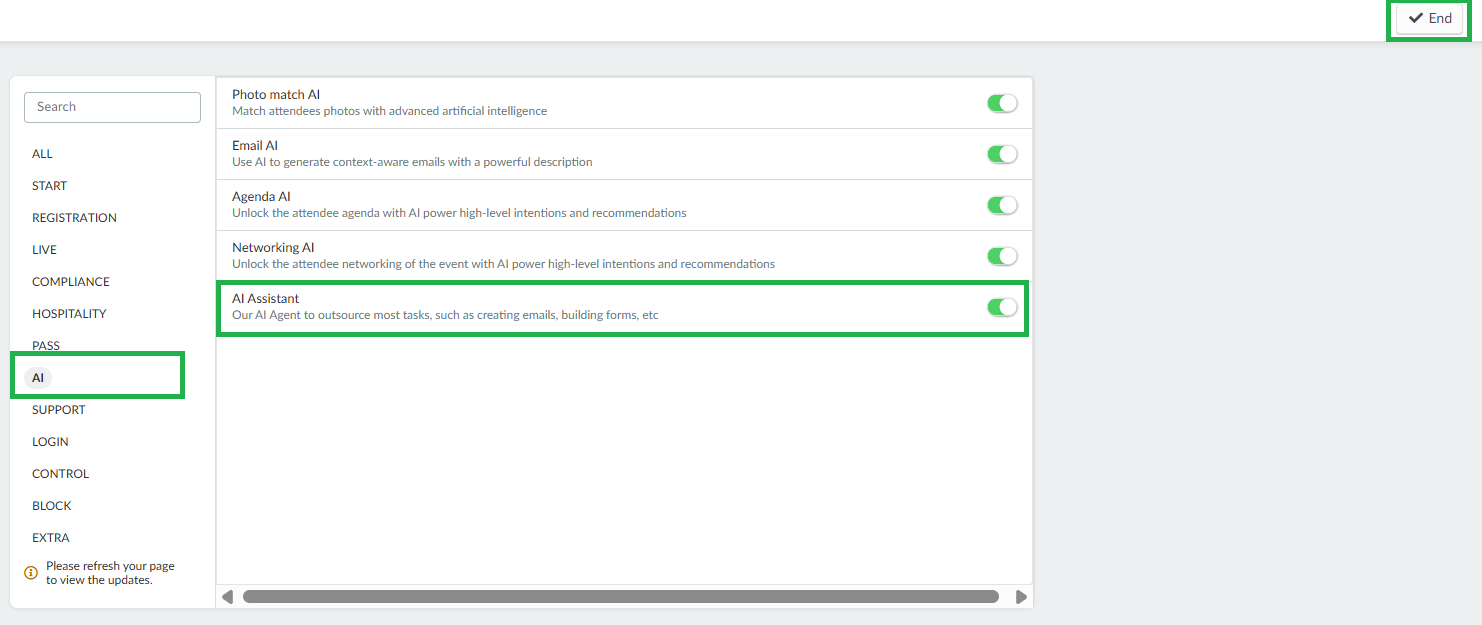
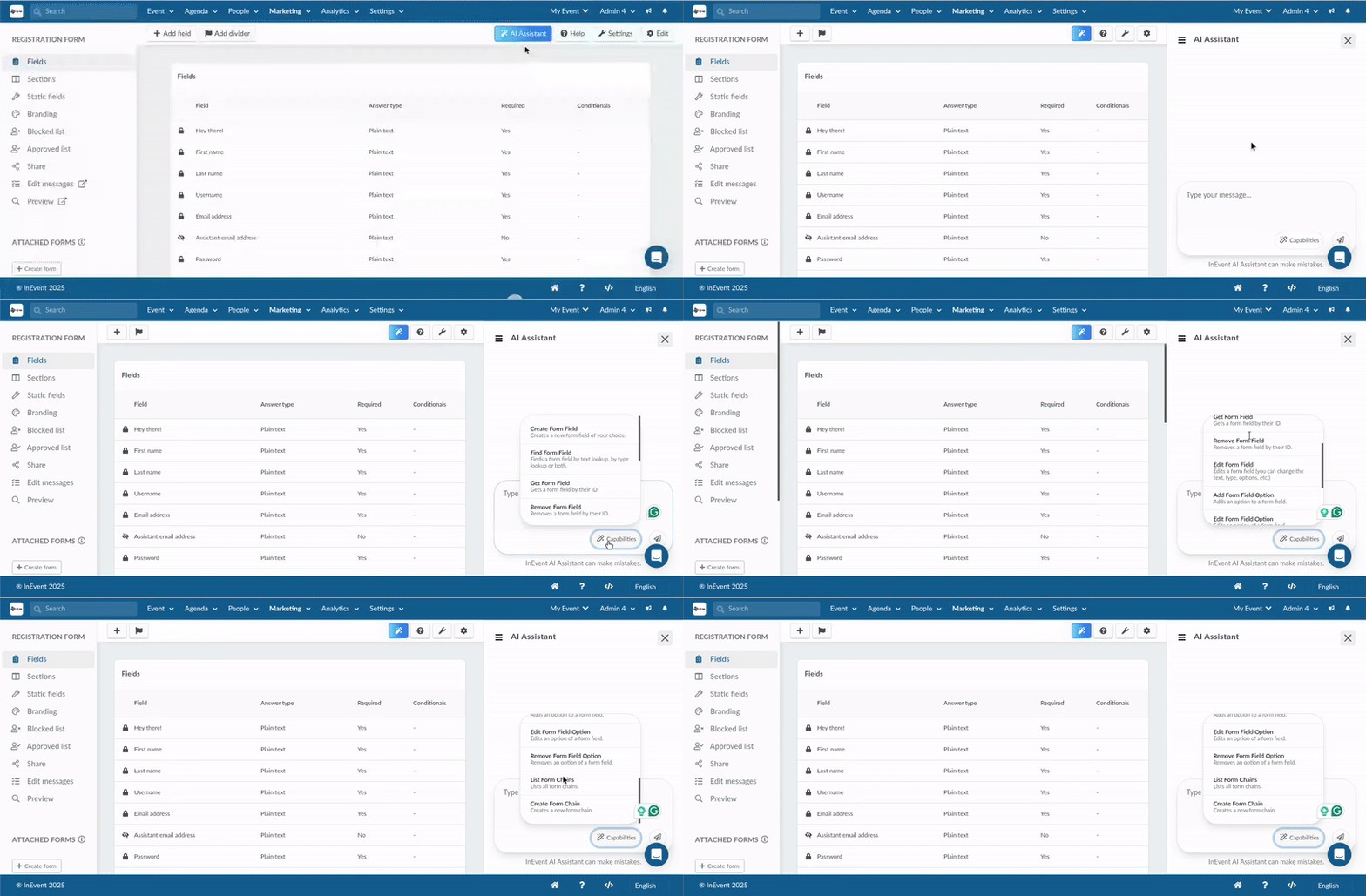
Once enabled, the AI Assistant icon will appear in the top right corner of the Registration Form page.
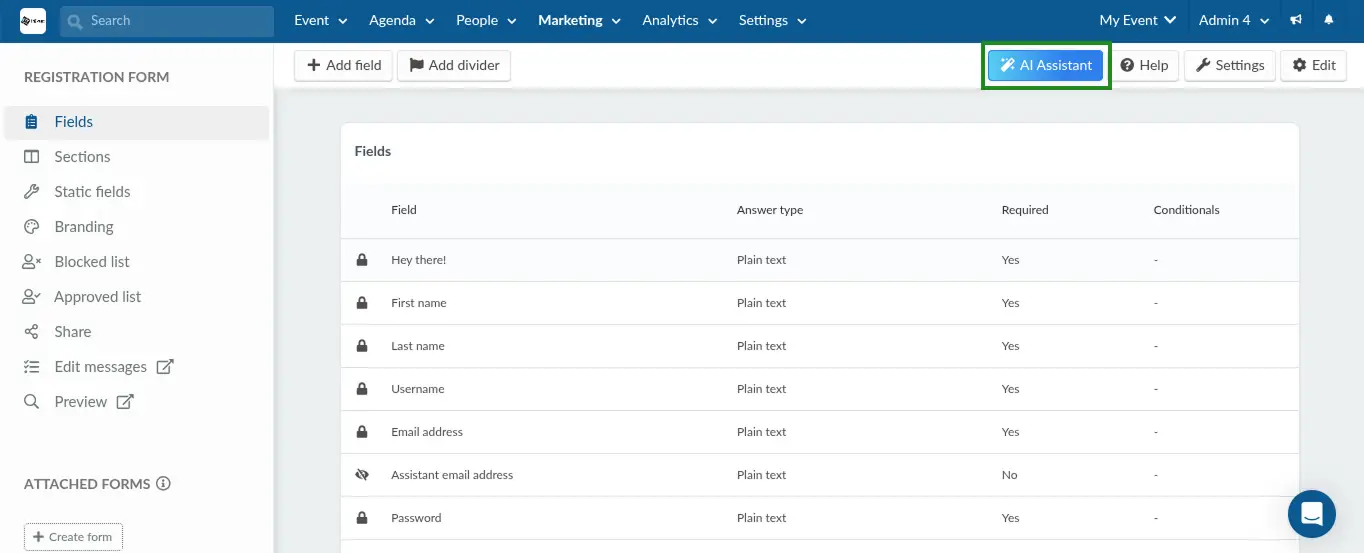
Using the AI Assistant
Follow the steps below to use the AI assistant:
- Go to the Registration Form page within your event.
- Click the AI Assistant icon to launch the assistant.
- Describe the action you want the AI Assistant to execute as clear and as detailed as possible. For example: Create a field named "Select your country" with Option List as the answer type. The options must contain a list of countries.
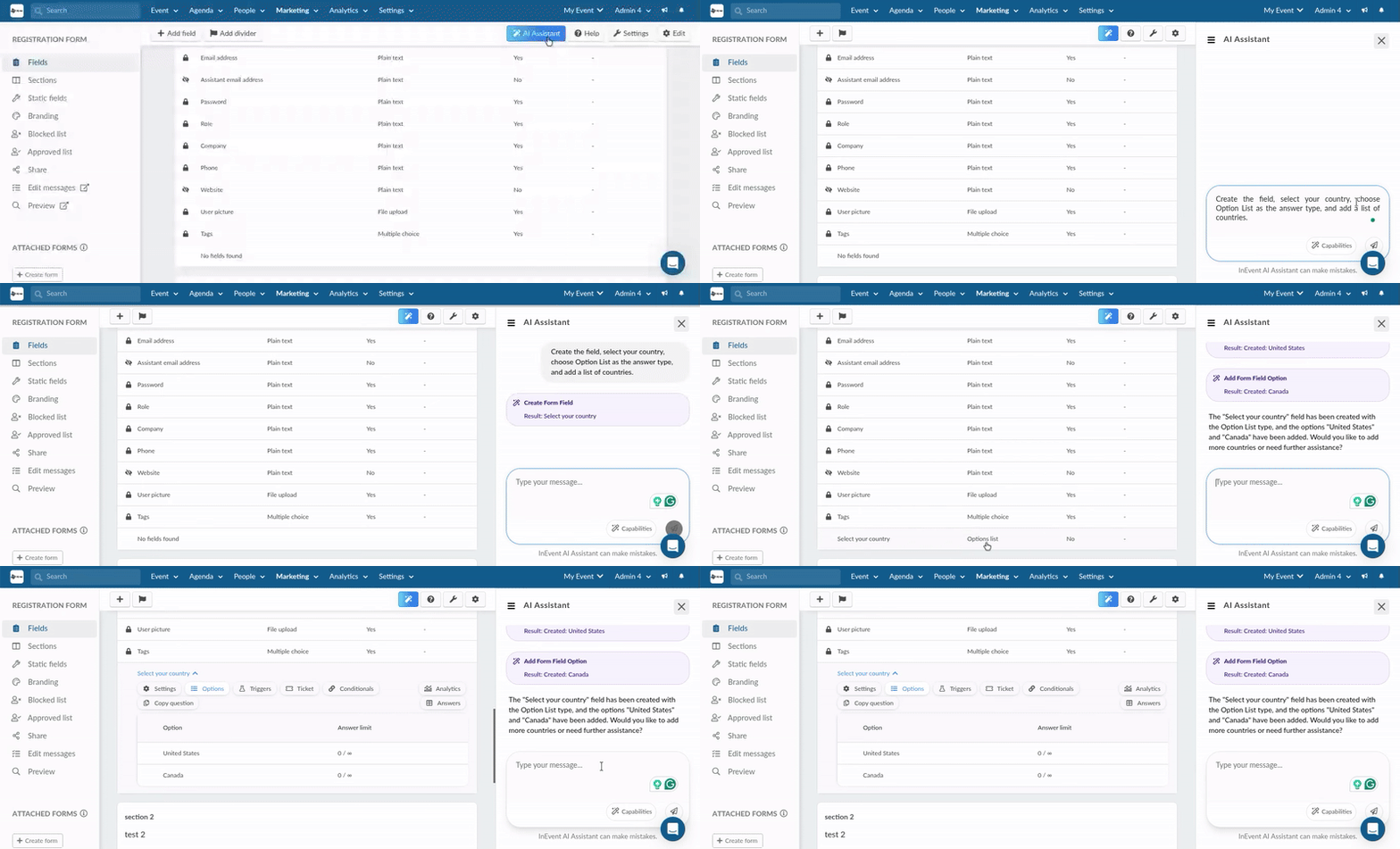
The assistant retains context during the conversation, making it feel more natural and responsive.
AI Assistant capabilities
The AI Assistant is capable of executing the following actions on the Registration form page:
- Creating new form fields
- Creating form sections
- Editing form fields
- Finding specific form fields by name or type.
- Removing form fields you no longer need.
- Adding or modifying answer options for multiple-choice fields.
- Creating or listing form chains to control conditional logic between questions.
To view a list of the actions the AI Assistant can perform, click on Capabilities in the chat box when using the assistant.
The AI assistant also provides helpful general information about the InEvent platform. You can ask questions about other InEvent features, such as ticketing, and session creation, and the assistant will offer informative responses or guidance.