AI Networking
 Updated 4 months ago
by
Chioma Okenwa
Updated 4 months ago
by
Chioma Okenwa
The AI Networking is a chat-based feature that helps attendees connect with the most relevant people during your event. It analyzes interests and profiles, suggests meaningful matches, making networking more efficient, engaging, and valuable. This ensures participants spend less time searching for connections and more time building relationships.
Enabling AI Networking
To enable the AI Networking feature, follow the steps below:
- Navigate to Settings > Tools.
- Select the AI section.
- Toggle on Networking AI to activate the tool.

To enable the tool at the company level:
- Go to Company > Account > Tools.
- Select the AI section.
- Toggle on Networking AI to activate the tool.
- Return to the event settings and repeat the event-level steps above.

Once enabled, attendees will see the AI Networking option on their Networking tab and can begin connecting with relevant personnel.

AI Networking for attendees
The AI Networking is a chat-based feature that helps attendees connect with the most relevant people during your event. It analyzes chat-based commands, evaluates interests and profiles and suggests meaningful matches, making networking more efficient.
To learn more about the Networking feature, refer to the Networking: instructions for participants article.
To use the AI Networking feature, follow the steps below:
- Click on the Networking tab on the left-side menu in the Virtual Lobby.
- Click the red AI Networking button on the right side of the Networking page.
- Tell the AI what you are looking for in the chat box. You can search for other attendees by their names, roles, or tags.
- Review the list of suggestions provided by the AI.
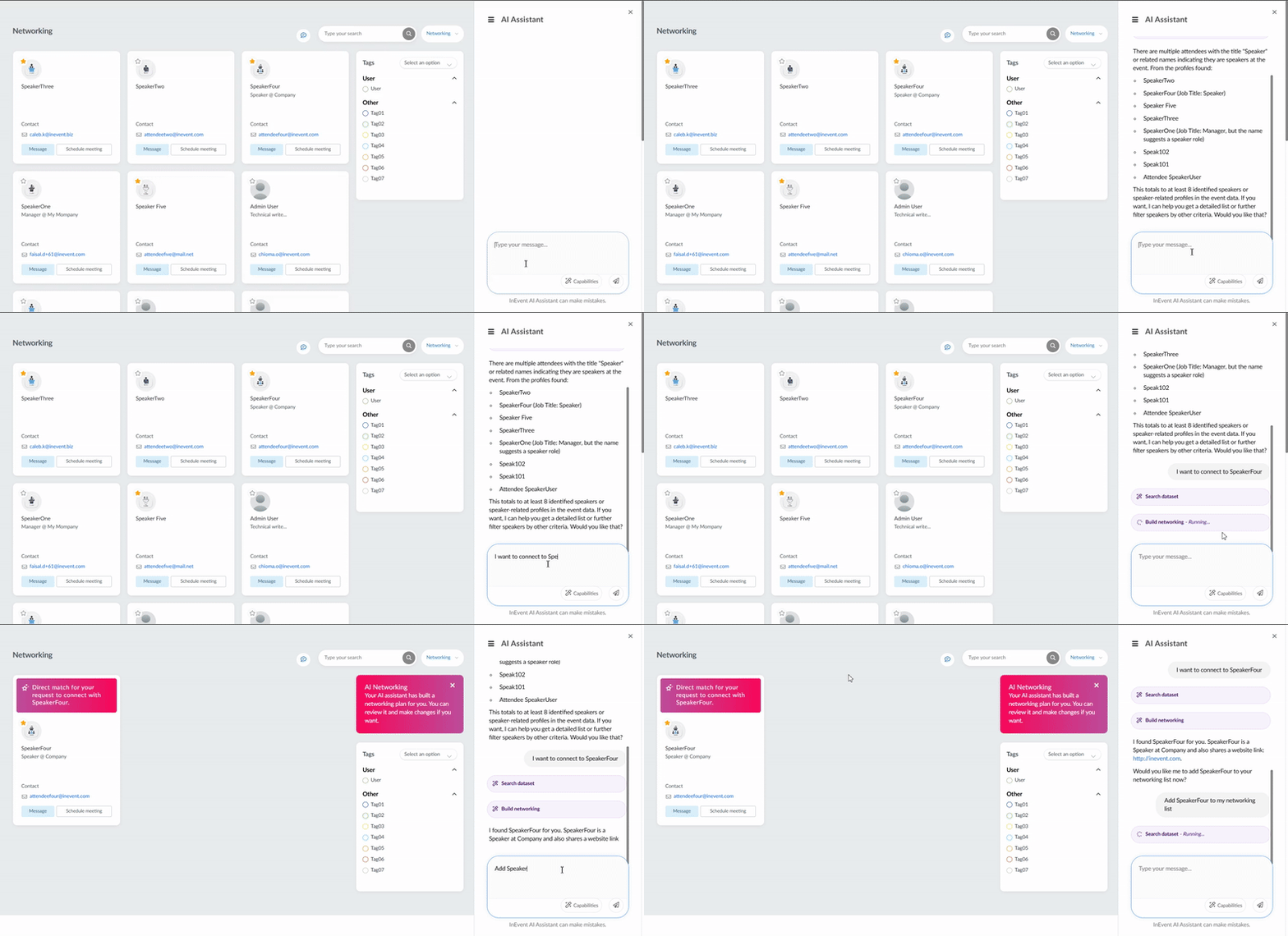
Below is an example of how to connect with speakers in the event using the AI Networking chat feature:
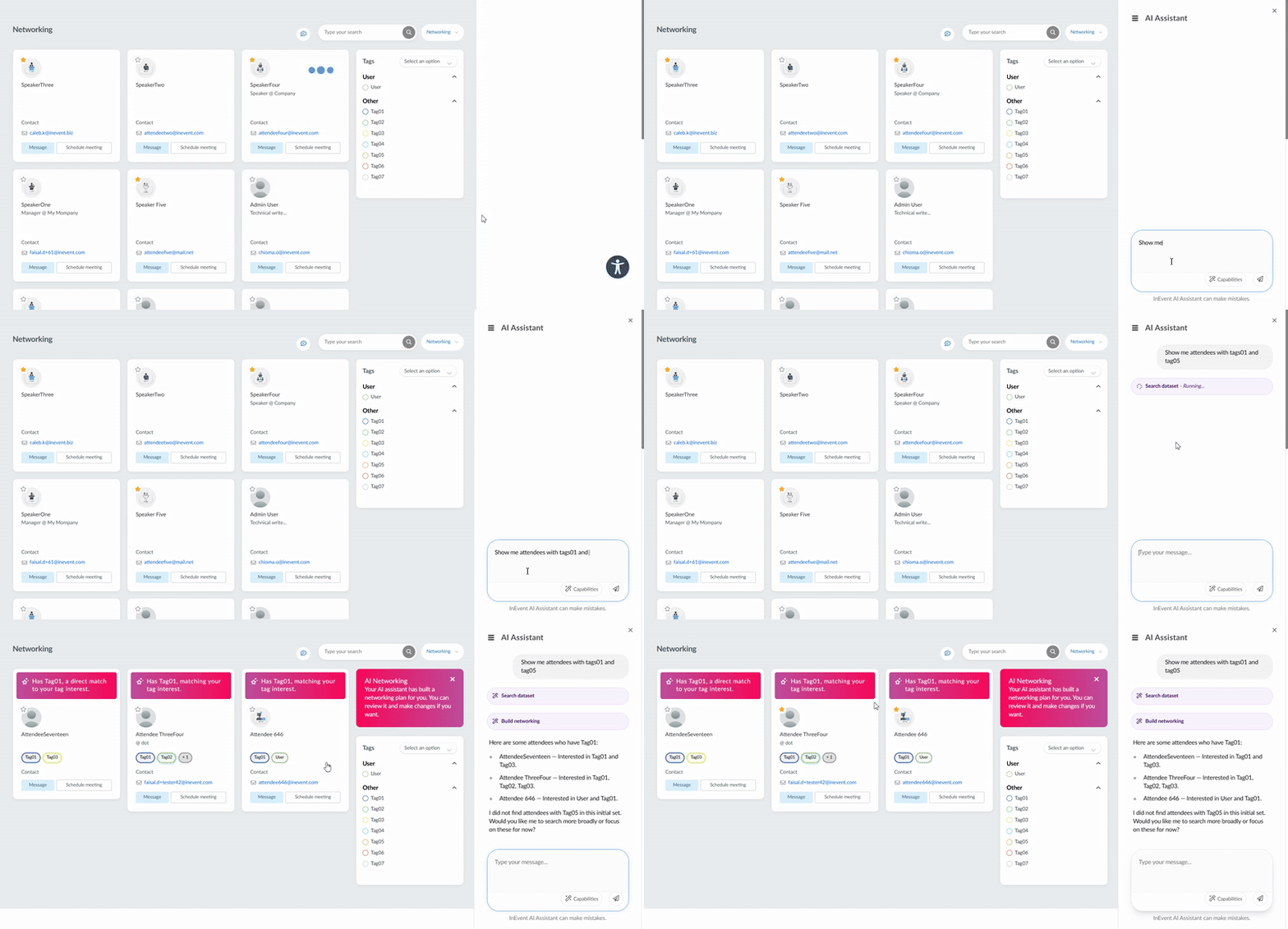
Below is an example of how to use the AI Networking feature to connect with attendees with specific tags:
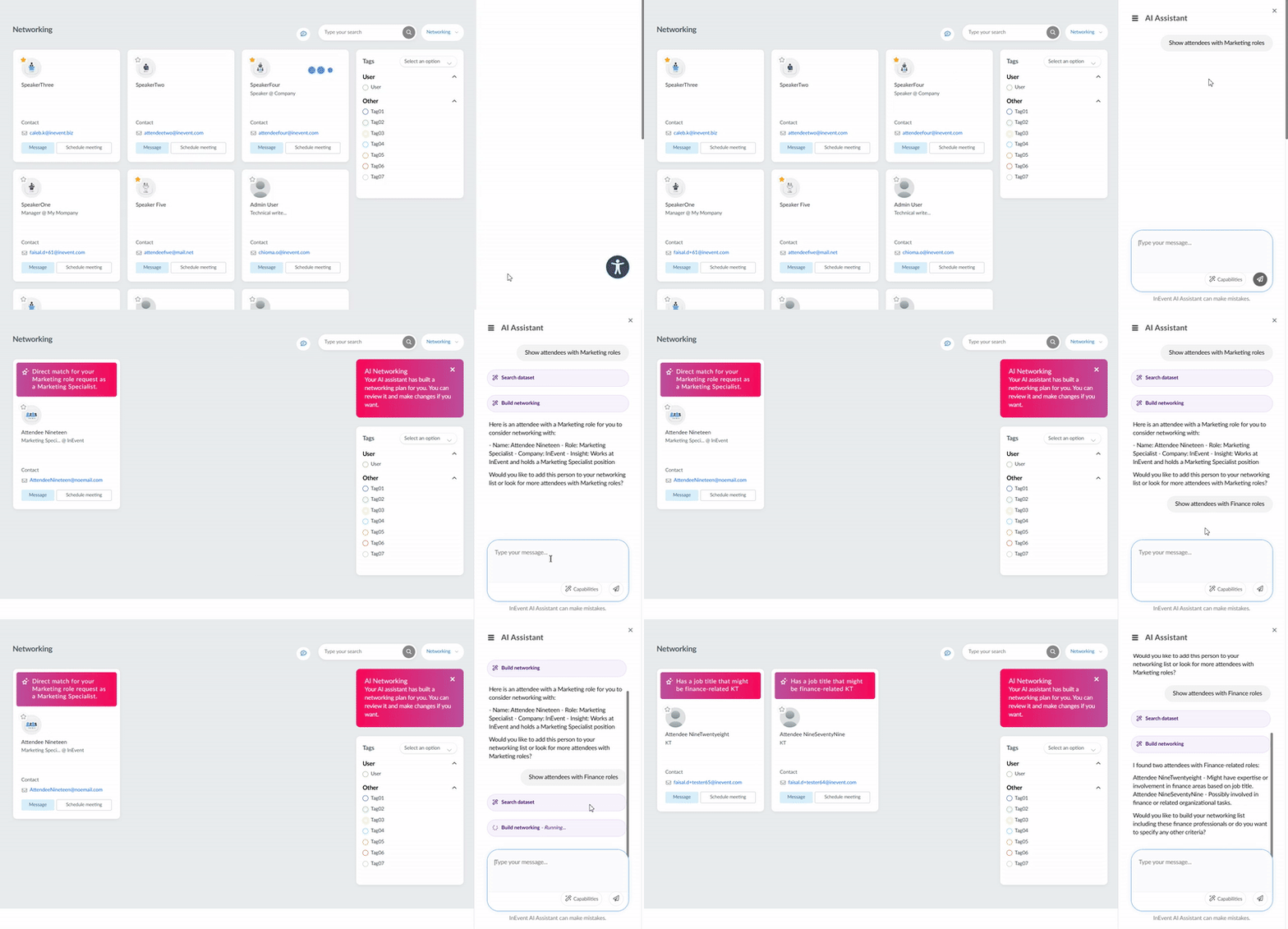
Below is an example of how to use the AI Networking feature to connect with attendees with specific roles: