Email creator AI
 Updated 4 months ago
by
Lorenzo
Updated 4 months ago
by
Lorenzo
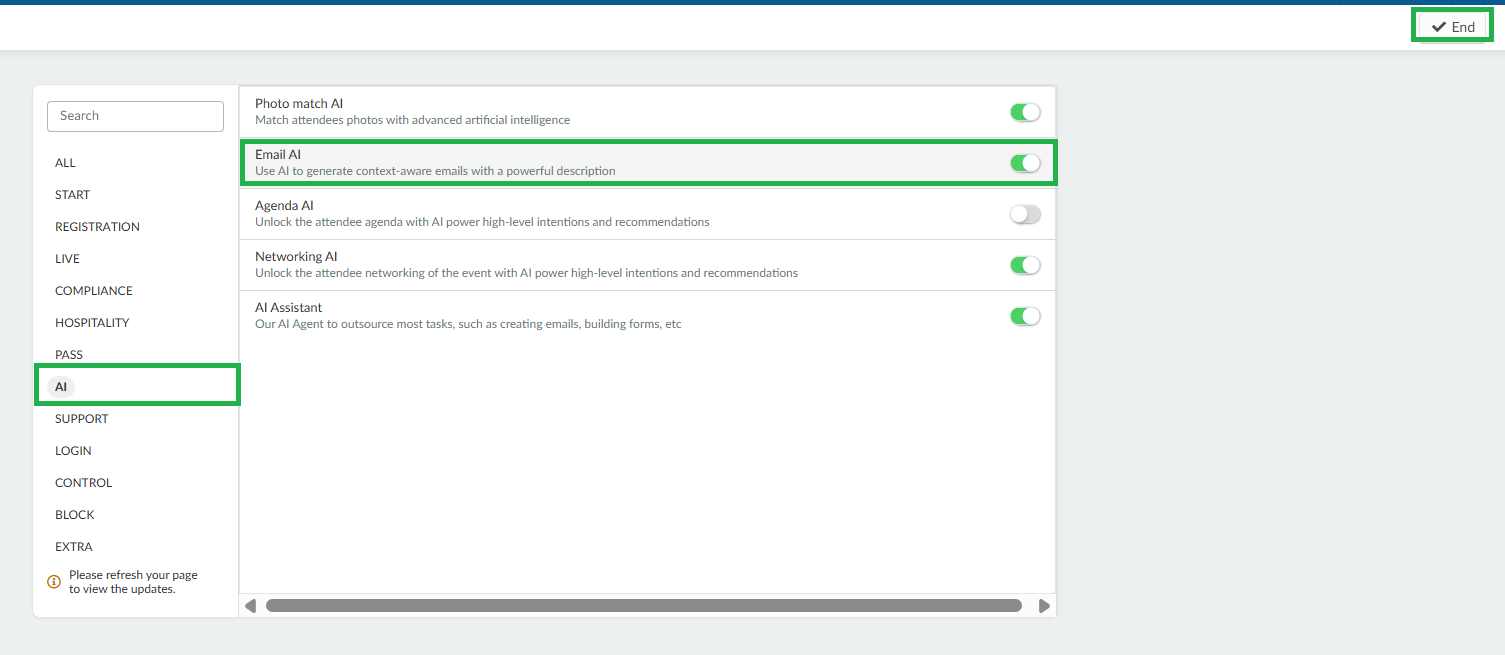
With InEvent AI, you can easily generate an email by entering a prompt from the email builder. To use this feature, you need to enable the Email AI tool from the Settings > Tools > AI page. Below are instructions on how you can use InEvent AI in the Email creator
Differences between the AI tools used for generating emails
InEvent offers three AI-powered tools to help streamline email creation. Whether you need to generate a complete email, draft content for the email body, or create a subject line, each AI tool serves a different purpose.
Before proceeding, here's an overview of each AI tool and its best use case:
- Email AI is used to quickly generate a fully-fledged e-mail from scratch. It will attempt to make an e-mail starting with addressing the subject, then making a body for the e-mail before finalizing with a farewell and will use dynamic content ({{first-name}};{{event-name}};{{event-address}}; etc.) appropriately where needed. This is most useful for when you need a starting point for your e-mail or want to quickly create simple communications.
- Text AI is used to generate regular, detailed text content. It does not use dynamic content. This is most useful for drafting or expanding the main body of an email based on your prompt, but it is not intended for generating complete emails from scratch.
- Summary AI is used to generate concise headers and subject lines for your e-mail. It does not use dynamic content. This is most useful when you need a subject line for an e-mail or a main header for your content.
Generating emails with the InEvent AI
Below are the steps on how to use each AI:
Email AI
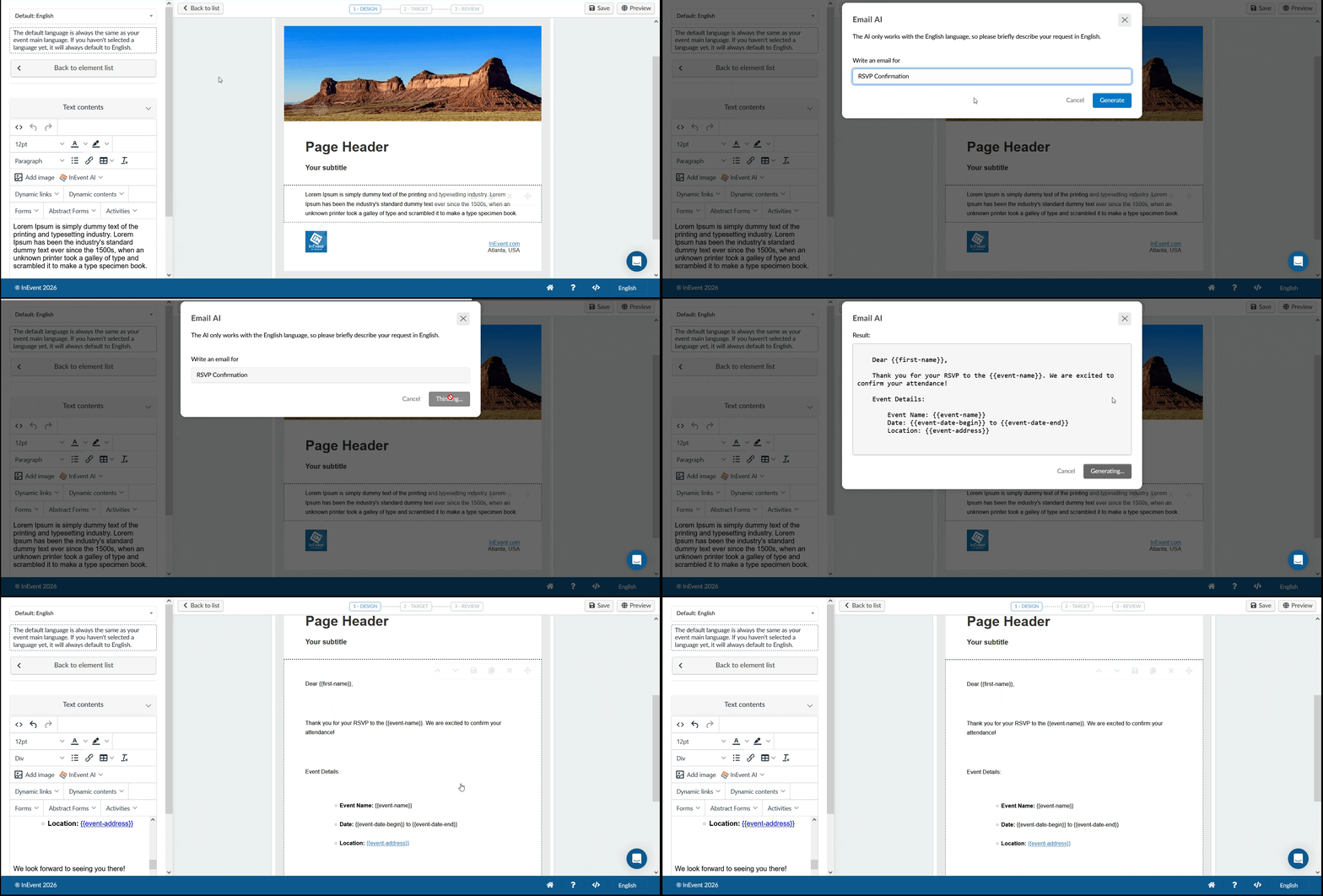
This tool allows you to completely from-the-ground-up generate an e-mail with the proper dynamic content for the e-mail. To use the Email AI in generating emails, follow these steps:
- Add a text content into the email body.
- Click on the text content to display the text editor.
- Click the InEvent AI drop-down box in the text editor.
- Select Email AI. A pop-up box will appear.
- Enter your email prompt in the Write an email for text field.
- Press Generate to start processing your request. When the process is finished, a new pop-up box will appear.
- Add the generated email by pressing Use content.
- Review the generated email and edit if necessary before saving.
Text AI
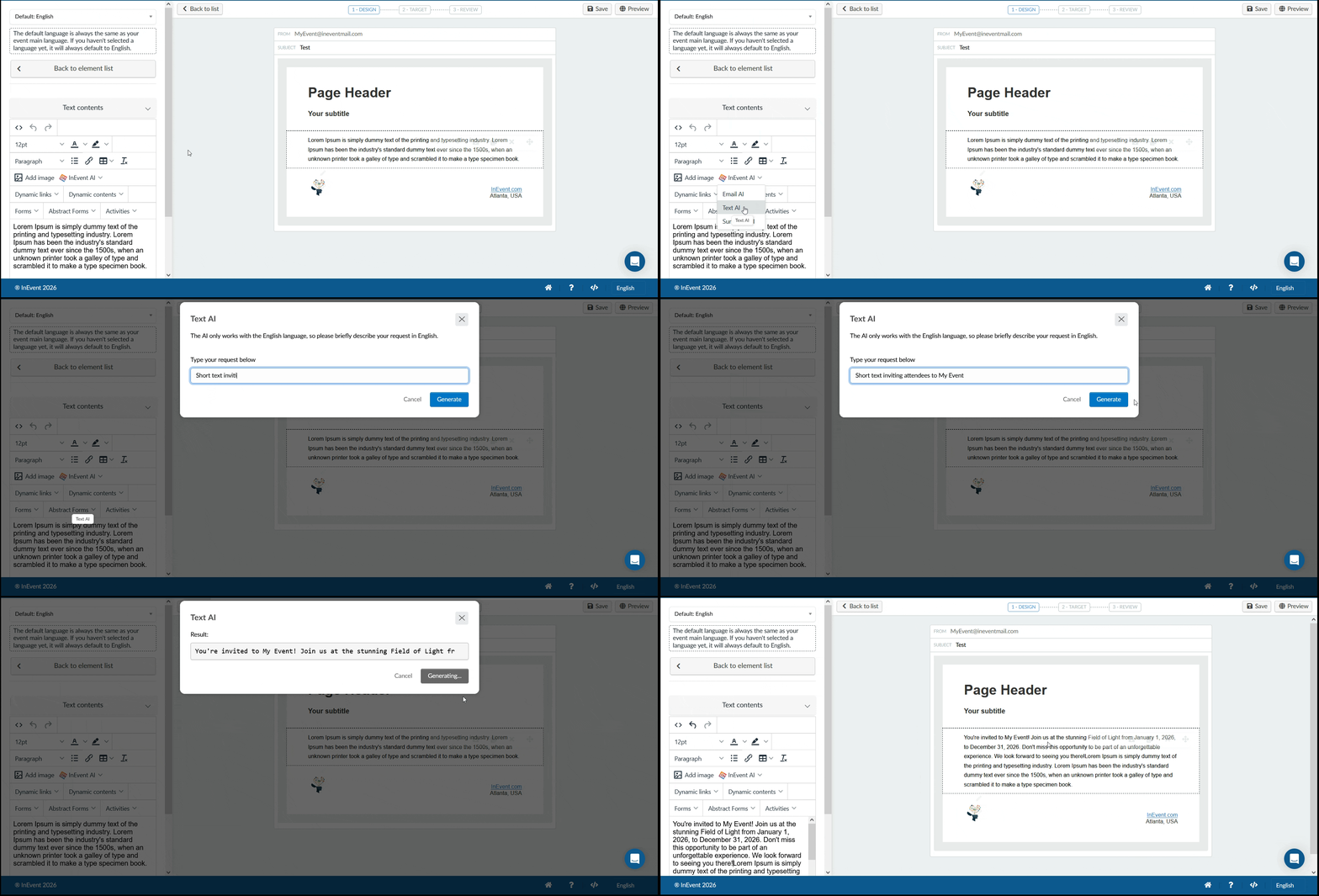
You can also easily generate a verbose text by entering a prompt from the email builder with the use of InEvent AI - Text AI. This one will not use dynamic content. Below are the instructions on how you can use this tool in the Email creator.
- Add a text content into the email body.
- Click on the text content to display the text editor.
- Click the InEvent AI drop-down box in the text editor.
- Select Text AI. A pop-up box will appear.
- Enter your text prompt in the Type your request below text field.
- Press Generate to start processing your request. When the process is finished, a new pop-up box will appear.
- Add the generated text by pressing Use content.
- Review the generated text and edit if necessary before saving.
Summary AI
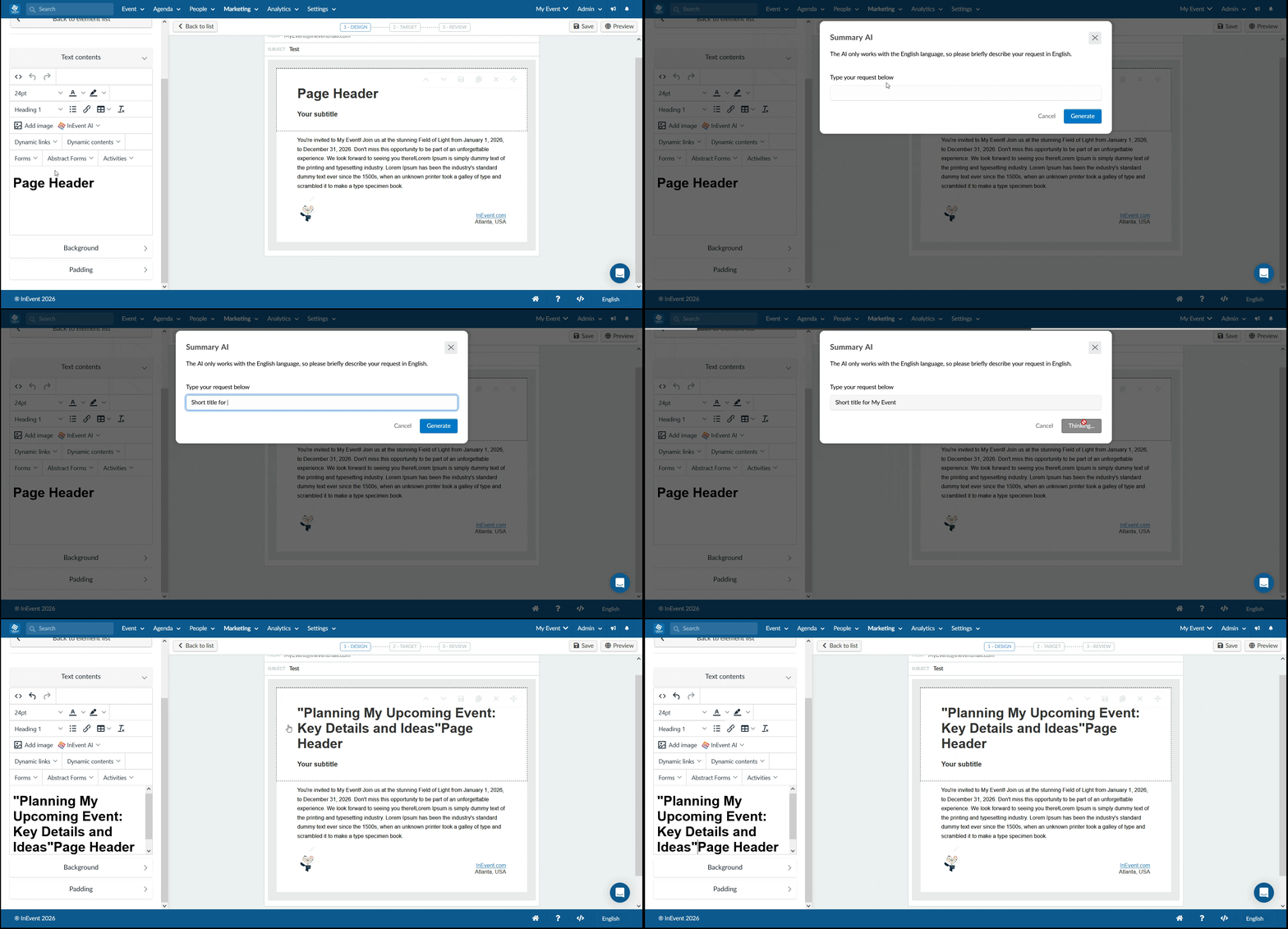
This tool allows you to generate a quick title for a header or subject in your e-mail. To use this, follow the next steps:
- Add a text content into the email body.
- Click on the text content to display the text editor.
- Click the InEvent AI drop-down box in the text editor.
- Select Summary AI. A pop-up box will appear.
- Enter your summary prompt in the Type your request below text field.
- Press Generate to start processing your request. When the process is finished, a new pop-up box will appear.
- Add the generated text by pressing Use content.
- Review the generated text and edit if necessary before saving.
Understanding InEvent AI token equivalents
One token is approximately equal to 4 English characters.
One token is approximately equal to 0.75 words.
One hundred tokens is approximately equal to 75 words.
Alternatively
One to two sentences is approximately equal to 30 tokens.
One paragraph is approximately equal to 100 tokens.
1,500 words is approximately equal to 2,048 tokens.
